

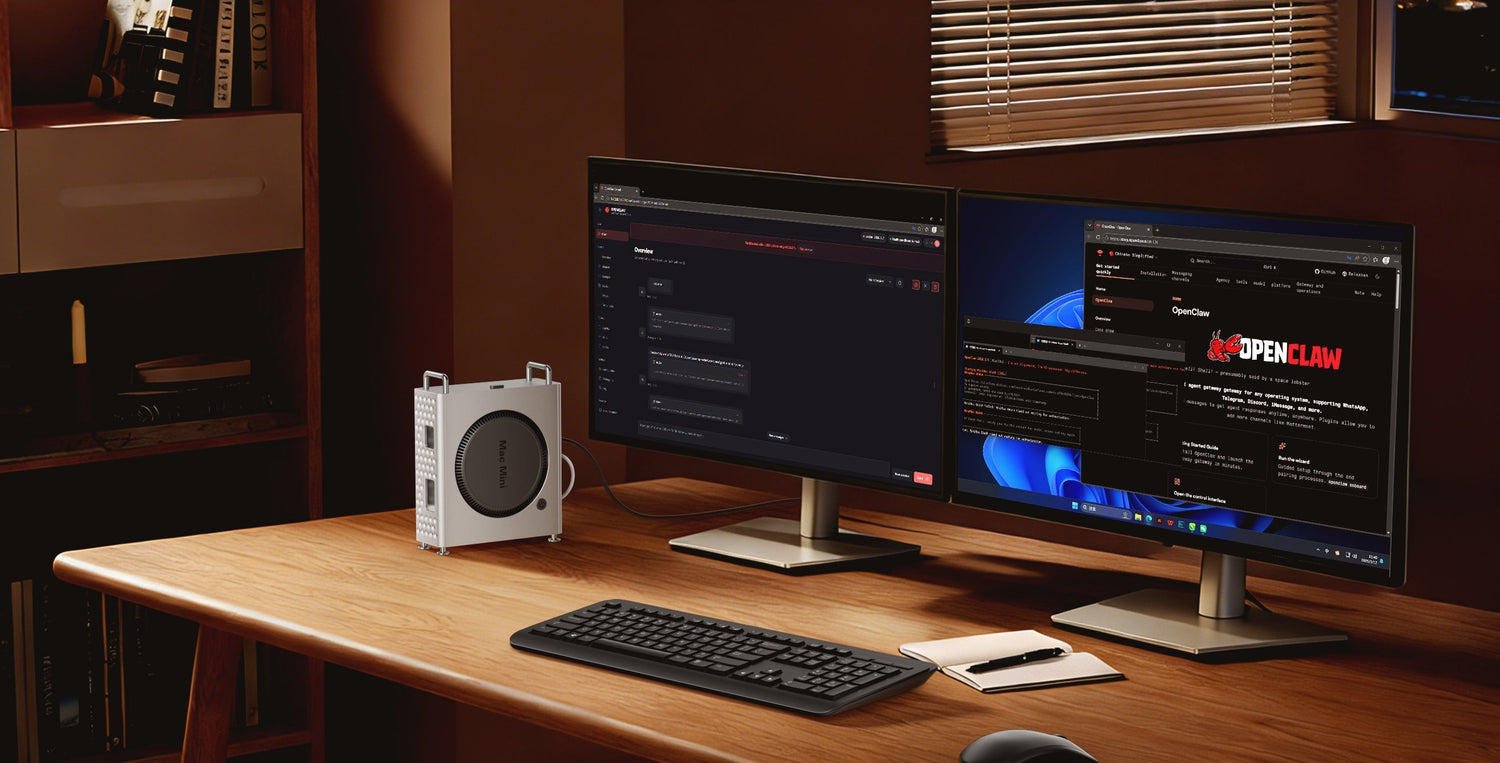
OpenClaw has brought the Mac mini back into the spotlight. Across forums, social platforms, and tech communities, the conversation around this pairing keeps circling back to the same question: if you want an AI assistant that stays online, stays ready, and fits into your daily workflow, is the Mac mini actually worth the investment?
What is really driving this trend is not just OpenClaw itself, but a new way of using the Mac mini altogether—treating it as a personal AI workstation, or even a lightweight AI server that stays online around the clock.
Once the role of the device shifts from “a desktop computer you use now and then” to “an always-on AI node running 24/7,” the criteria change too. It is no longer only about whether the performance is good enough. What matters just as much is whether it stays quiet, stable, power-efficient, and easy to live with over the long run.
Why Mac mini Works
If all you do is chat with AI in a browser, almost any computer can handle that. But once you want your AI assistant to stay online, receive messages automatically, trigger tasks, and support more complex workflows, the Mac mini starts to feel less like a tiny desktop and more like a piece of personal infrastructure.
OpenClaw itself works more like an orchestration framework than a model. And many experienced users have already realized that when you mainly rely on cloud APIs, the hardware requirements are not especially demanding. Even so, the Mac mini keeps showing up as the preferred choice. The reason is simple: it fits the always-on use case incredibly well.
It is compact, quiet, and easy to leave on a desk without becoming intrusive. More importantly, the Mac mini has always had the kind of low-power, low-noise, low-maintenance character that makes long-running setups feel natural instead of forced. For emerging local AI workflows, it really does feel like the right foundation.
But the moment you stop treating it like a normal computer and start treating it like an AI workstation, the real limitations begin to surface.

Beyond Raw Performance
When people talk about running OpenClaw on a Mac mini, the first instinct is usually to look at the chip and unified memory. That makes sense—but it is only part of the story.
If you focus on memory alone, you will soon run into another issue that tends to become obvious only after a bit of real use: storage anxiety.
At first, a Mac mini may not feel storage-limited at all. But once it starts taking on real AI workflows, files begin to pile up faster than most people expect.
That is because AI usage creates data in a very different way from ordinary office work.
- Models and datasets: The moment you start experimenting with local models or RAG workflows, weights, vector data, and supporting files can eat through available storage quickly.
- Automation leftovers: Task outputs, downloads, script dependencies, Python environments, logs, and caches all build up quietly in the background.
- Workflow sprawl: As OpenClaw becomes part of more daily routines, its workspace directories naturally grow larger and more layered.
And because Apple’s internal storage upgrades are notoriously expensive, pushing all of that growing AI-related data onto the internal drive is rarely the smartest long-term move. It does not just fill up space—it also makes your main system harder to manage cleanly.
Build a Separate Workspace
At this point, expansion stops being a nice extra and starts becoming the missing piece that makes the entire setup feel complete.
Users who have already gone through this learning curve usually land on the same conclusion: keep the internal drive for macOS and your main apps, and use fast external NVMe storage for your AI workspace.
That is exactly why Mac mini accessories from ORICO feel especially relevant in this scenario. They are not just solving a “not enough storage” problem. They are helping turn the Mac mini from a small computer into a more complete AI workstation.
If you want to improve dedicated storage, desk organization, and essential expansion in one move, MiniPro is the more complete answer. It feels like a dedicated AI workspace built specifically for the Mac mini: a cleaner structure, a better fit, NVMe expansion, and the extra everyday ports that help the whole desk feel more intentional.

If you care more about port variety, desk space, and a lighter upgrade cost, then MiniDock is the more flexible entry point. Its logic leans more toward workstation-style expansion, making it a strong option for users who first want to fix the “not enough ports” and “desk setup feels awkward” side of the problem. And with a more approachable price point, it naturally works as a lower-barrier place to start.

So this is not really about which one is “better.” It is about which path fits your setup best. If you already know you want to turn your Mac mini into a more complete AI workstation, MiniPro makes more sense. If you want a lighter and more budget-friendly way to improve ports and desk usability first, MiniDock is easier to step into.
Dedicated AI Workspace
You can map your AI workspace, downloads, logs, and even local models to a dedicated SSD. The benefit is not just more capacity—it is a much cleaner structure.
When the internal drive handles the operating system and everyday apps, while a separate fast drive handles OpenClaw-related data, the whole environment becomes easier to maintain, easier to migrate, and easier to troubleshoot. Cleaning cache, resetting your AI environment, or reorganizing projects becomes much less disruptive.
If that kind of all-in-one, clearly divided setup is what you want, MiniPro is the stronger fit. It works especially well with the logic of “system drive for the system, expansion drive for the AI workspace,” letting the Mac mini expand without turning your desk into a mess.
Cleaner Runtime Control
For AI agents that can execute code or interact with files, the real concern is usually not whether they can work—it is whether they might interfere with your existing setup while doing so.
That is why it makes sense to separate your AI runtime environment from your normal day-to-day workspace as much as possible. And once you pair that with a dedicated external SSD, the structure becomes easier to understand and easier to control. If you ever need to migrate, isolate, adjust, or troubleshoot, everything feels more manageable.
This is also why a dedicated AI workspace matters more than simply “buying more storage.” One approach creates structure. The other usually just delays the same problem.
A Cleaner Desk Setup
A device that runs 24/7 but is surrounded by loose adapters, separate enclosures, and extra cables always feels a bit temporary—more like a test bench than a system you actually want to live with every day.
The value of an integrated expansion setup is that it brings storage and essential connectivity into the same desk structure. Fewer separate accessories. Fewer extra cables. More order. And that makes the Mac mini feel much more like a workstation that was built to stay.
This is exactly why MiniPro and MiniDock make the most sense in this article. Neither one adds just a single feature. They address the same core weakness from different angles:
- MiniPro: Better for integrated expansion, a dedicated AI workspace, and a more complete desk setup
- MiniDock: Better for richer connectivity, fixed desk use, and a more accessible upgrade path

Why These Accessories Fit
Once the Mac mini starts taking on the role of an AI workstation, what users actually need is rarely just one accessory. What they need is a setup that feels easier to use every day.
Part of that is fast external storage. AI data grows quickly, and local models, logs, workspace files, and automation output all need a place that makes sense for long-term use. A separate high-speed work drive simply fits better than forcing everything onto the internal drive.
Another part is better connectivity. Displays, external SSDs, card readers, USB accessories, and desktop peripherals all add up fast once the Mac mini becomes a permanent, always-on node in your setup.
What makes ORICO’s Mac mini-focused products especially relevant here is that they make both of these needs easier to solve at once. They are not just “more ports,” and they are not just “an extra SSD slot.” They help build a desk structure that feels cleaner, more stable, and more suitable for long-running use.
If your priority is reducing clutter and making the Mac mini feel like a more complete system, MiniPro is the more natural answer. If you care more about connectivity and want a lighter, more budget-friendly desk upgrade first, MiniDock is the more approachable option.
That is why these products fit so naturally into a trend like OpenClaw. Because the real question is not only whether the Mac mini can run it. It is whether the whole environment can stay clean, efficient, and sustainable over time.

From Mini PC to System
OpenClaw has made more people look at the Mac mini differently. But the bigger shift is not just about one AI tool—it is about how we are starting to think about the role of the device itself.
If you only want to experiment, a basic Mac mini is more than enough. But if you already know you want it to serve as an AI assistant node, an automation hub, or even a personal AI server, then it makes more sense to plan it as a full system rather than obsess over specs alone.
The real upper limit of the experience may not come from spending far more on internal storage upgrades. More often, it comes from building a cleaner structure with the right combination of external storage and expansion.
In that logic, MiniPro works as the main “complete the setup” option for users who already know they want to build a dedicated AI workstation around the Mac mini. MiniDock, on the other hand, feels like the easier and more affordable starting point for users who want to improve connectivity and desk usability first.
Once storage has a clear role, ports stop feeling cramped, and the desk itself feels clean again, the Mac mini completes its evolution. It is no longer just a compact Apple computer—it becomes your own always-ready AI workstation.
コメントを書く
全てのコメントは、掲載前にモデレートされます
このサイトはhCaptchaによって保護されており、hCaptchaプライバシーポリシーおよび利用規約が適用されます。