

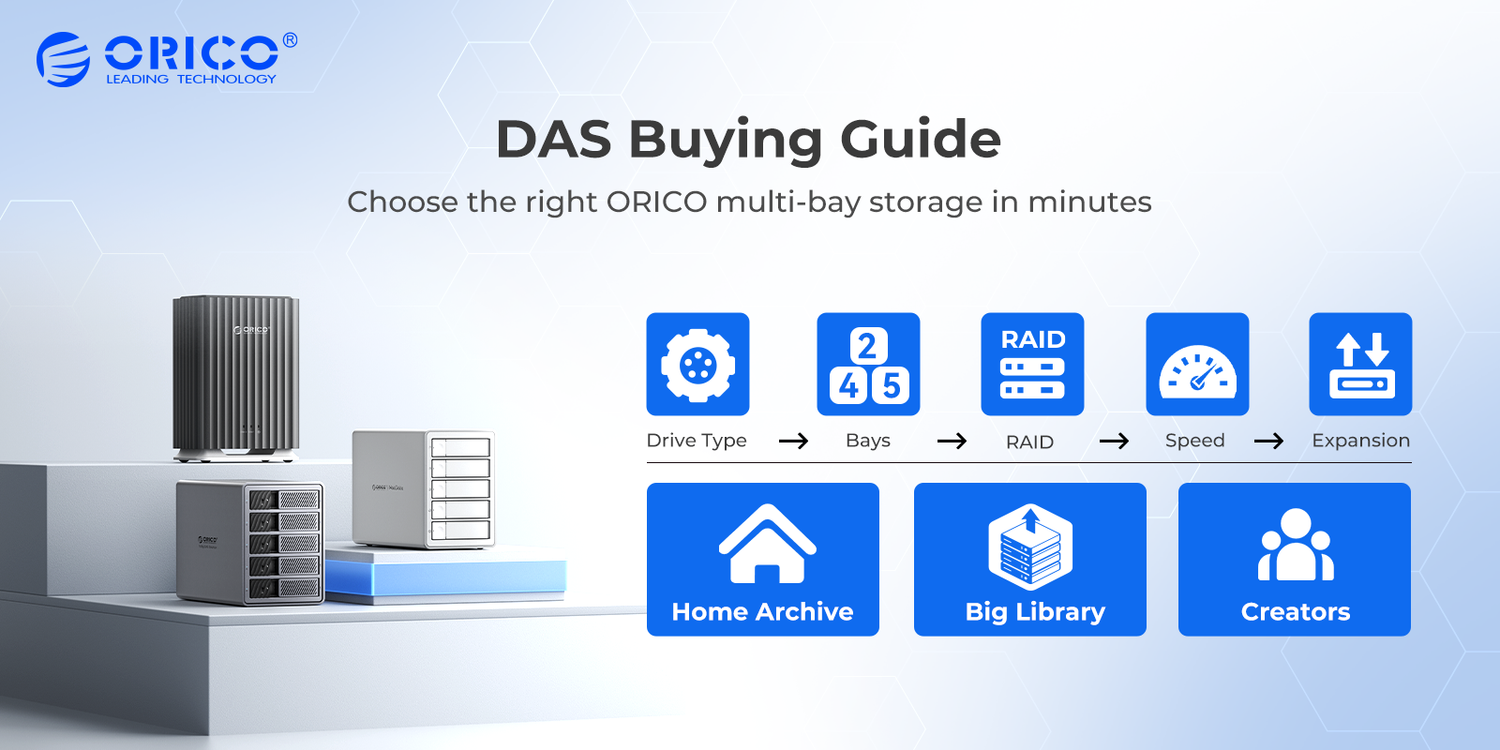
If you’re shopping for a DAS (Direct-Attached Storage), the model list can feel overwhelming. This guide keeps it simple: choose based on drive type, bay count, RAID needs, speed, and expansion features.
It’s written for home archivists, capacity builders, and creators who want a clear path to the right setup—without reading a wall of specs.
Who This Guide Is For
- Home archive users: Family photos/videos, backup libraries, and “set it and forget it” storage.
- Capacity builders: Large media collections or project libraries with frequent big-file transfers.
- Creators and studios: Smoother workflows, better stability, plus desk convenience like card readers and scalable expansion.
Drive Type First
Start by choosing what kind of drives you’ll install. This single step prevents the most common “bought the wrong enclosure” mistake.
- 3.5" HDD: Best cost per TB for long-term libraries and backups.
- 2.5" SATA SSD/HDD: Quieter and more shock-resistant, great for compact setups and smoother daily use.
- M.2 NVMe SSD: Highest performance for work drives and scratch/project use cases (requires NVMe-compatible enclosures).
Choose Your Bay Count
Bay count is the biggest “regret factor.” If your library grows, choosing too few bays forces a rebuild later.
- 2-bay: Simple start for light growth and smaller libraries.
- 4-bay: The most balanced choice for most users.
- 5-bay: Capacity-first, ideal for long-term growth and larger libraries.
RAID Or No RAID
RAID can improve tolerance to a single-drive failure, but it does not replace backup. Accidental deletion, malware, or device loss still require a separate backup plan.
- Choose RAID when: you want better uptime, safer day-to-day operation, or you only keep one primary copy on the DAS.
- Skip RAID when: you prefer the simplest setup and already maintain a second copy elsewhere (cloud, another drive, offsite).
If you specifically need RAID for 3.5" HDD storage, look at the ORICO 98 Series. If you want SATA SSD RAID for creator workflows, look at the ORICO 88 RAID line (2.5" SATA; SSD recommended; not NVMe).
Speed And Ports
Think of speed in terms of your daily experience, not confusing naming schemes.
- 5Gbps: Practical for backups and libraries, strong value for most home/office users.
- 10Gbps: Better for frequent large-file transfers and smoother media workflows.
- USB4 (40Gbps): For NVMe performance workflows, but your host port and cable must also support USB4.
Expansion Features
Choose extra features only if you’ll actually use them—simplicity is stability.
- Built-in hub and card reader: Helpful for photographers and creators importing media.
- Daisy-chain expansion: Ideal if you plan to scale by adding more enclosures later (note: chained units share available bandwidth).
- Minimalist design: Best if you only need storage and want fewer moving parts and fewer setup decisions.
Three Picks For Most Users
Below are three typical picks based on the most common buyer goals. Each is a “safe choice” for its audience.
Pick 1: Home Archive Starter
Choose this if you want an easy, budget-friendly multi-bay library with room to grow.
- Best for: family photos/videos, home media libraries, light office archiving
- Recommended bays: 5-bay
- Recommended drives: 3.5" SATA HDD (2.5" supported)
- Speed: USB 3.2 5Gbps (Type-C)
- RAID: No
- Expansion: Keep it simple
Recommended model: ORICO 9758C3-V1

Pick 2: Big Library, Faster Transfers
Choose this if you move large files often and want a smoother transfer experience without RAID complexity.
- Best for: large media collections, project libraries, capacity builders
- Recommended bays: 5-bay
- Recommended drives: 3.5" SATA HDD (2.5" supported)
- Speed: USB 3.2 Gen2 10Gbps (Type-C)
- RAID: No
- Daisy-chain: Yes, up to 3 units
Recommended model: ORICO 9958C3

Pick 3: Creator Workflow Pro
Choose this if you want an SSD-forward RAID workflow plus practical desk convenience and a path to scale later.
- Best for: photography/video teams, studios, creator workflows
- Recommended bays: 5-bay
- Supported drives: 2.5" SATA SSD/HDD (SSD recommended), not NVMe
- Speed: USB 3.2 Gen2 10Gbps
- RAID: Yes (SATA RAID)
- Expansion: hub + card reader + daisy-chain
Recommended model: ORICO 8858RC3
Note: RAID improves tolerance to drive failure, but you still need a separate backup plan.

Common Mistakes To Avoid
- Buying the wrong drive type: Confirm SATA vs NVMe and 3.5" vs 2.5" before checkout.
- Treating RAID as backup: Keep a second copy elsewhere for true protection.
- Overpaying for speed: If you mostly archive, 5Gbps is usually enough.
- Underestimating growth: If your library grows fast, consider 5-bay early.
Quick Checklist Before Buying
- Drive type: 3.5" HDD / 2.5" SATA / M.2 NVMe
- Bay count: 2 / 4 / 5 based on growth
- RAID need: yes/no and why
- Speed: 5Gbps vs 10Gbps vs USB4 (host + cable match)
- Expansion: hub/card reader/daisy-chain only if you’ll use them

Leave a comment
All comments are moderated before being published.
This site is protected by hCaptcha and the hCaptcha Privacy Policy and Terms of Service apply.