

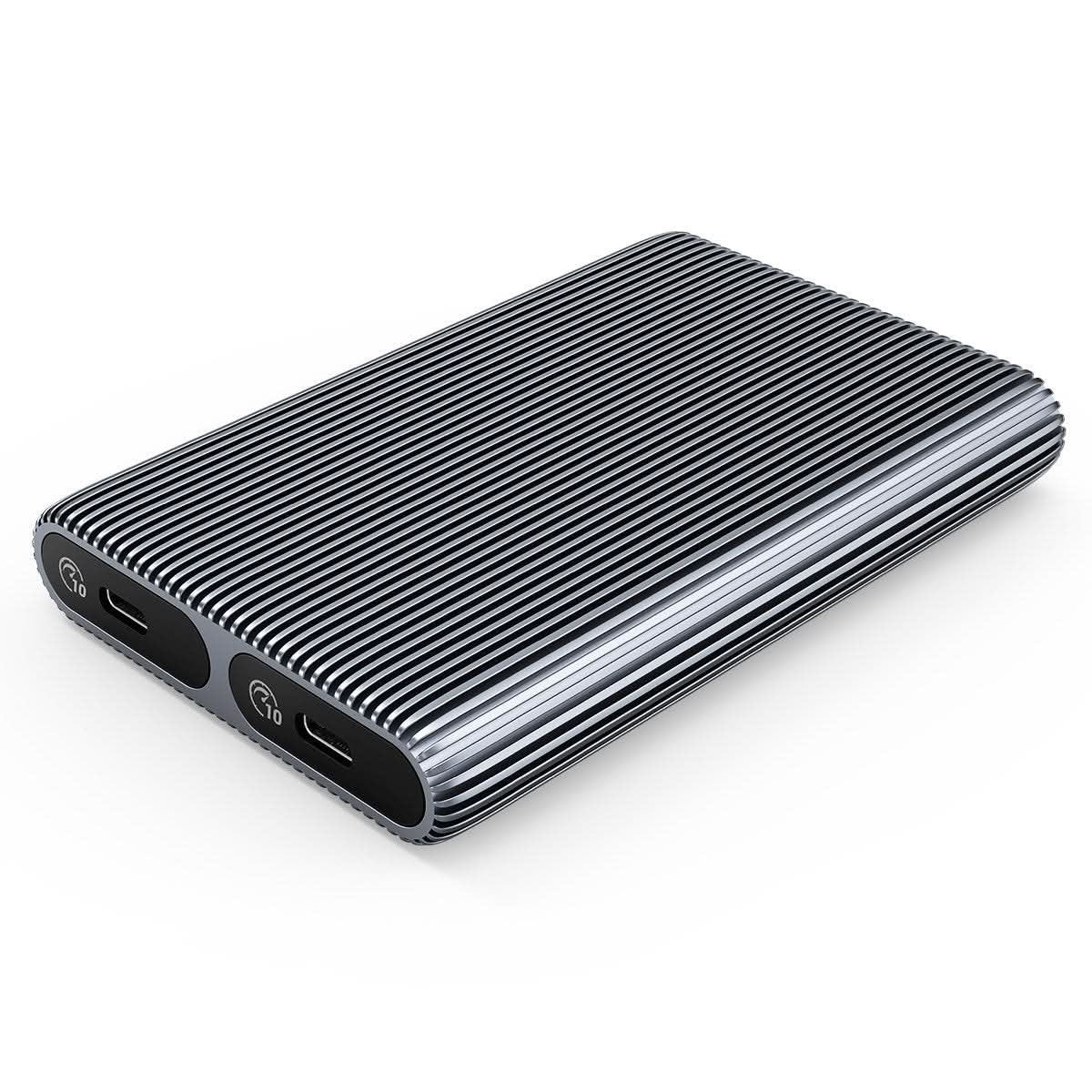
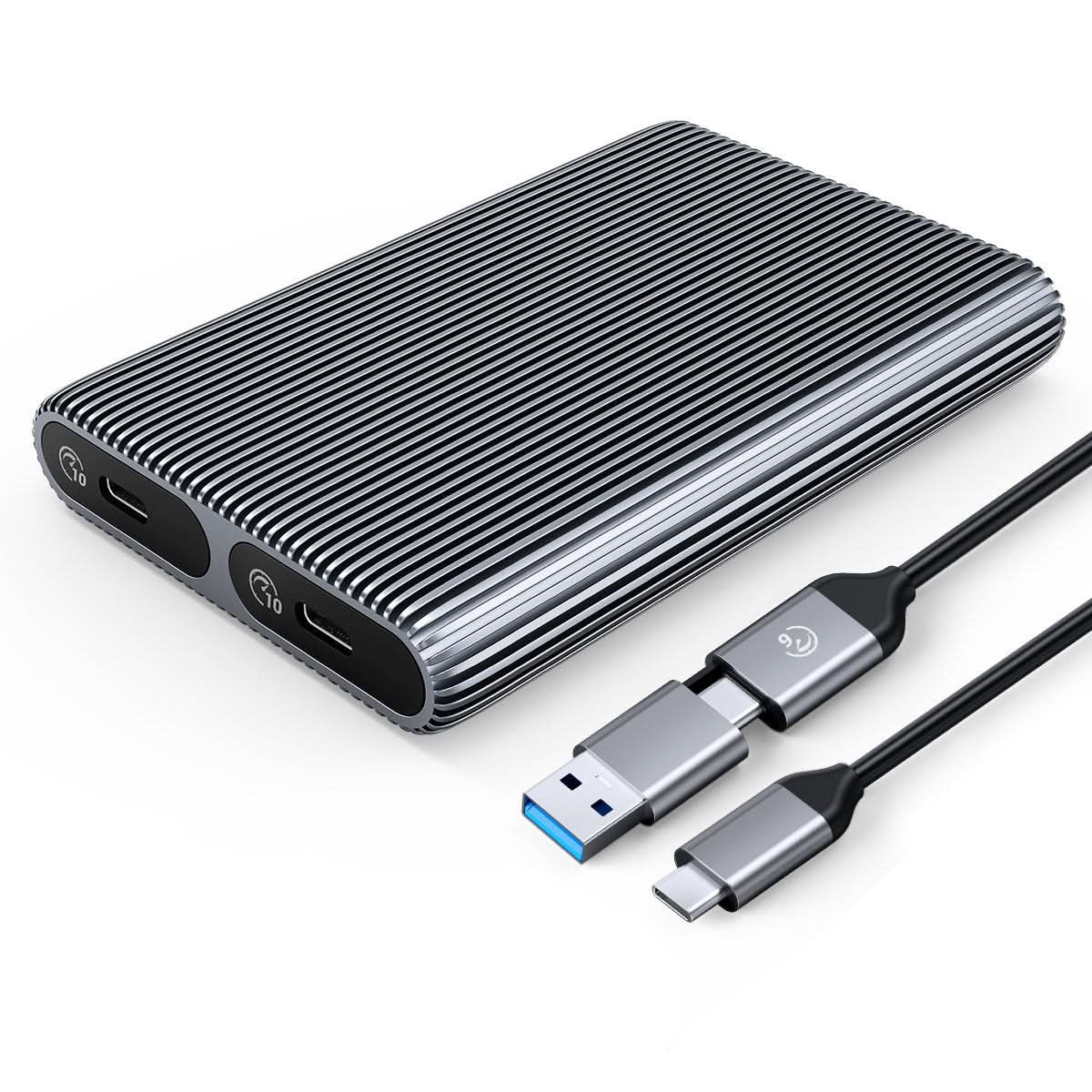

ORICO Aluminium Dual-bay M.2 NVMe + NVMe kryt


Závazky
- · Globální doprava
- · 30denní záruka vrácení peněz
- · Doživotní zákaznická podpora
- · Záruka 1 rok

Doprava
· Doprava zdarma nad 39,99 USD
· Odhadovaná doba dodání: 5–14 pracovních dnů
· Celní poplatek & DPH se vztahuje na USA/EU/UK/CA/AU/SG atd.

Platební metody
Description

ORICO Tool-free Dual Bay M.2 NVMe SSD Enclosure
1.Aluminum alloy design, which has a high-grade appearance and texture.
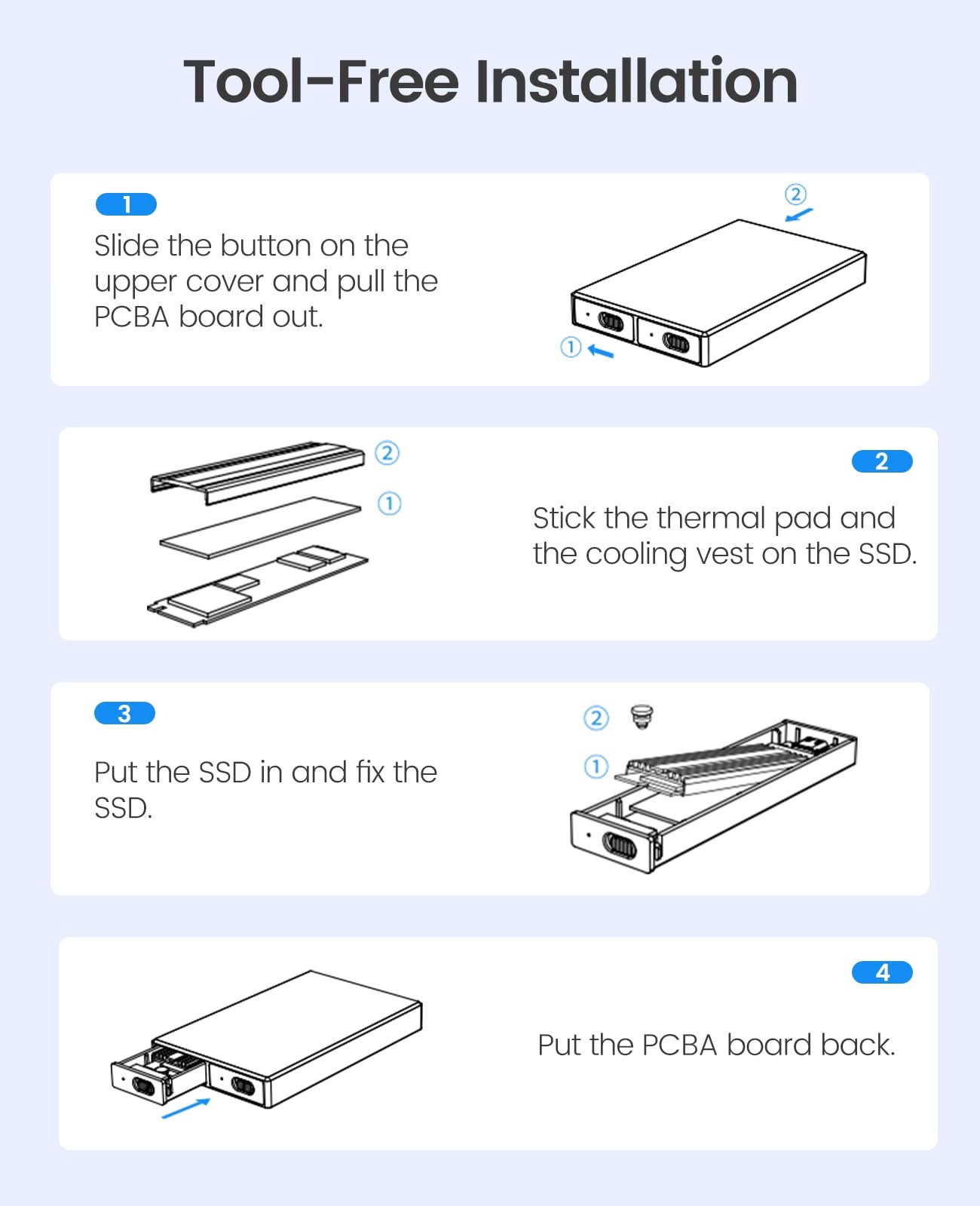
2.Tool-Free Installation, saving the trouble of screwing, easy to use, and portable.
3. With safety lock button design, which can be locked and extracted to prevent misoperation.
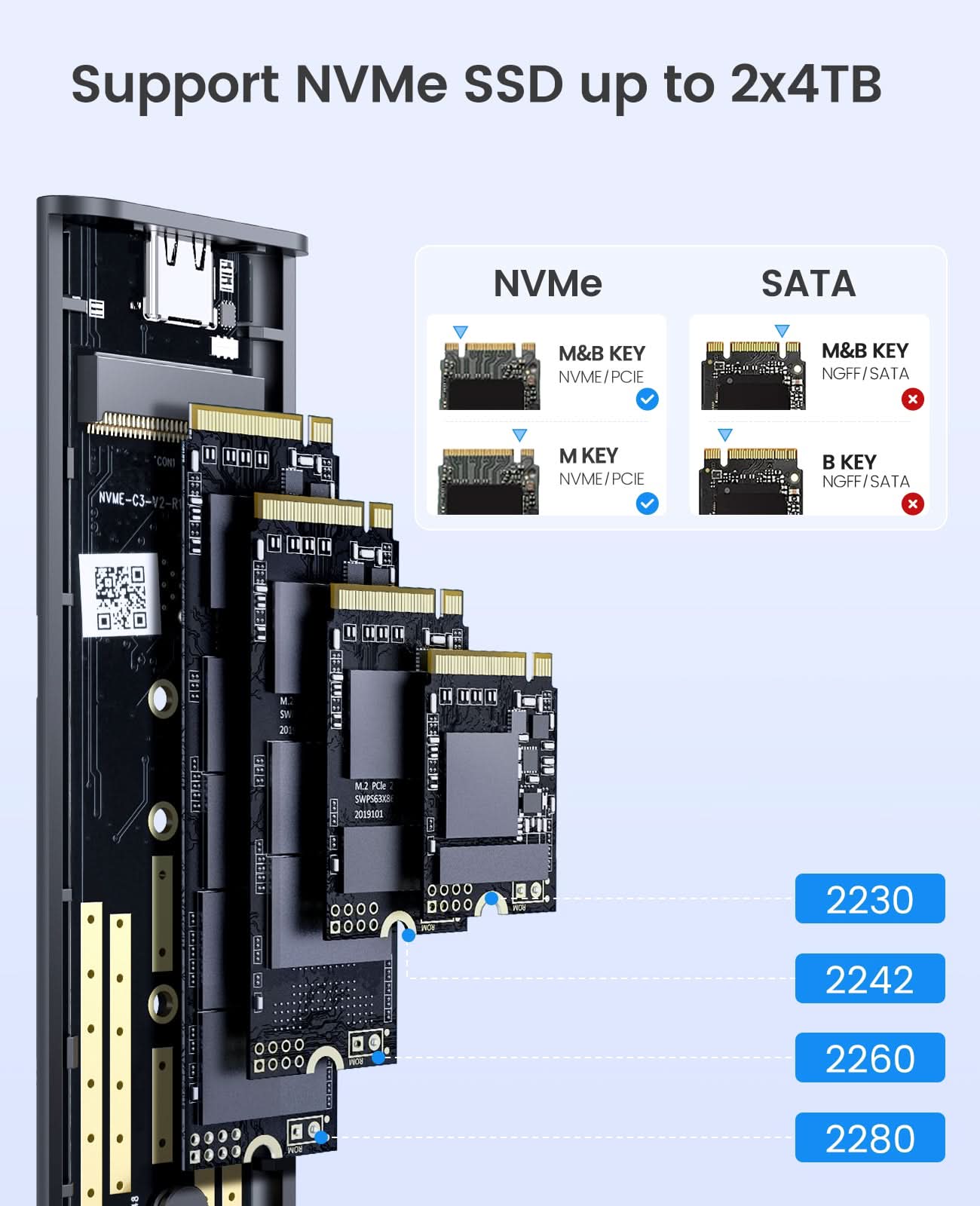
4. Support multi M.2 NVMe SSD, compatible with 30mm/42mm/60mm/80mm specifications.
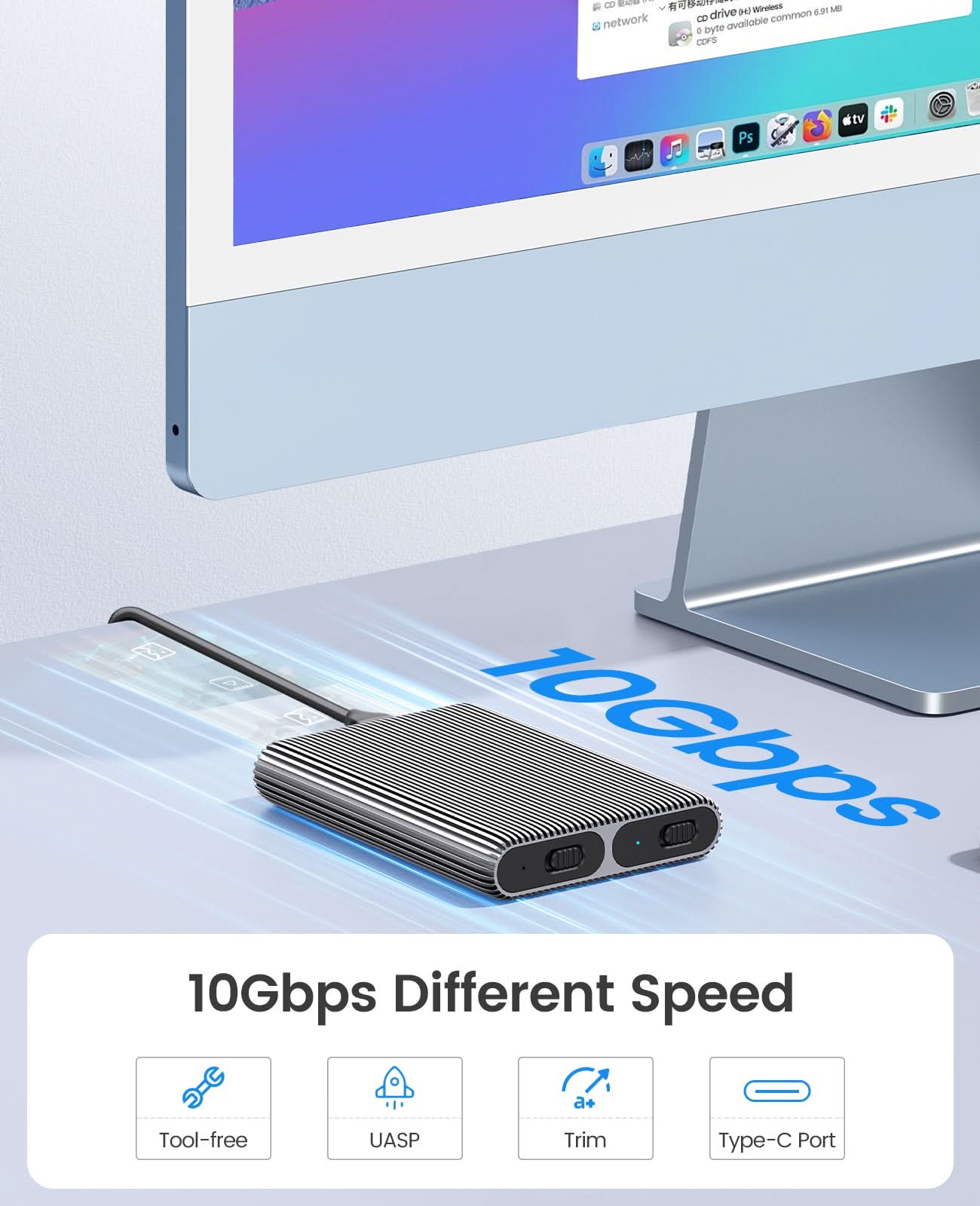
5. Adopting USB3.2 Gen2 Type-C interface 10Gbps ultra-high-speed transmission technology, support for forward and reverse insertion, backward compatible with USB3.0/USB2.0.
6. Support SSD TRIM instruction and UASP acceleration.
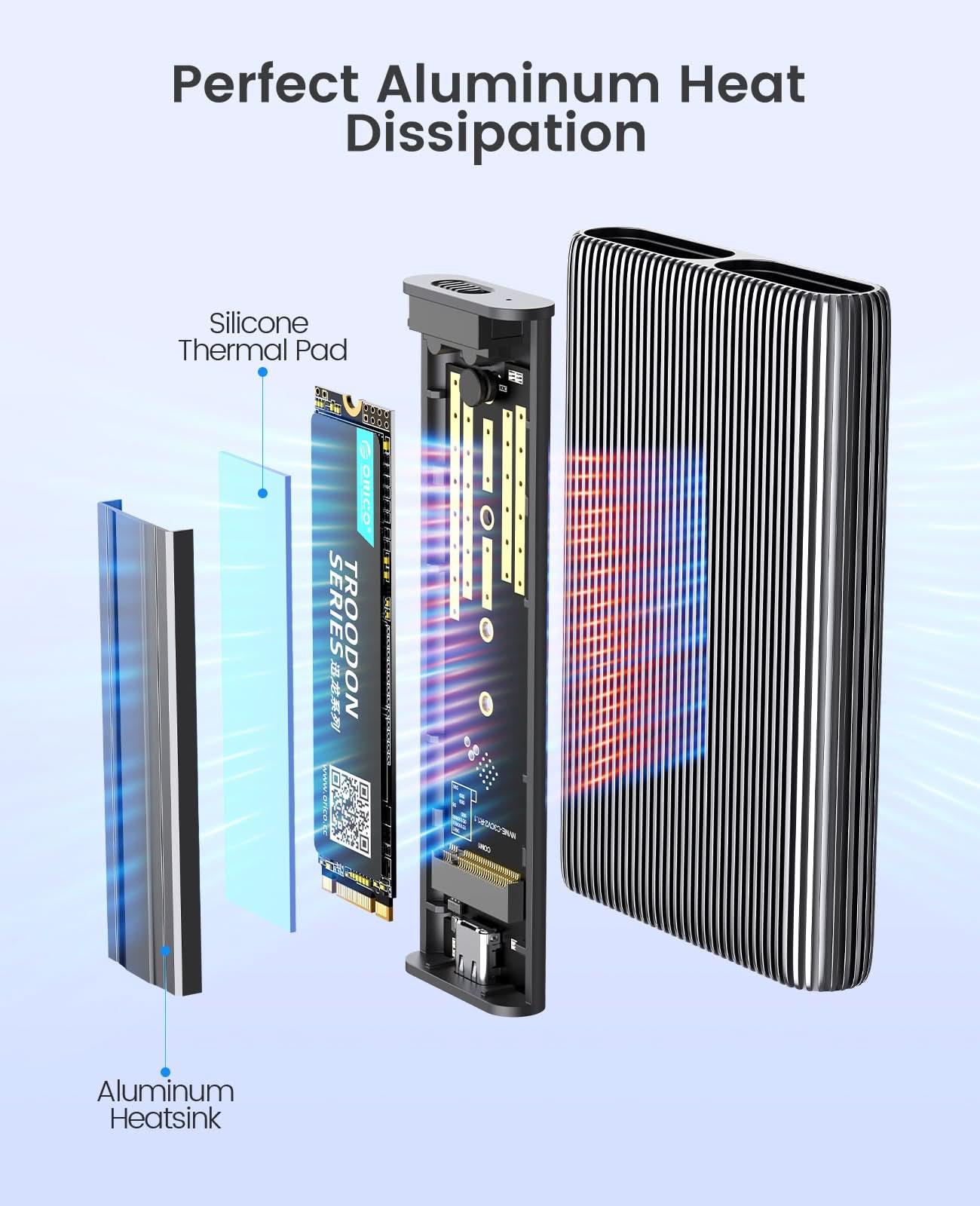
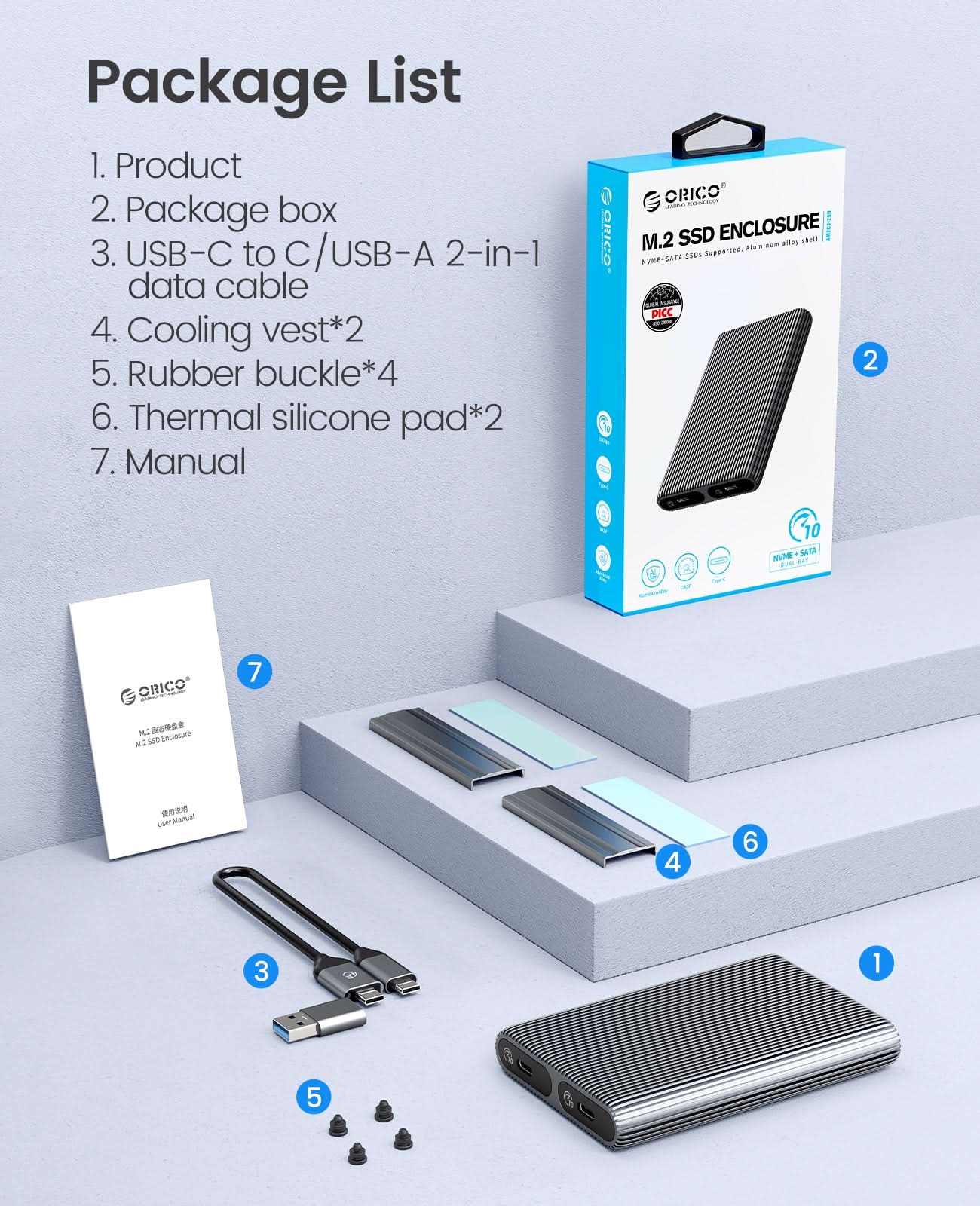
7. Plug and play, no driver required. Support hot-swap. 8. We provide Aluminum Cooling Vest(Heatsink) and Silicone Thermal Pad to help against overheat.


Warm Tips
1. Please properly back up all data on the SSD to prevent data loss.
2. In any case, during data transfer, please do not unplug the M.2 SSD case from the PC, otherwise data may be lost. Please unplug the cable before taking out the SSD after use.
3. Once connected, your PC/Laptop's OS will initialize the M.2 SSD. This process may take a minute. You can access the data if the SSD is partitioned and the data is on the SSD.
4. Be careful to check compatibility before installing an SSD.
5. Please be as gentle as possible when installing the SSD to avoid scratching the components on the printed circuit board. When installing an SSD, be careful of static electricity. On the other hand, for safety reasons, it is also recommended to not connet device before proceeding with the installation.
ORICO Tool-free Dual Bay M.2 NVMe SSD Enclosure
1.Aluminum alloy design, which has a high-grade appearance and texture.
2.Tool-Free Installation, saving the trouble of screwing, easy to use, and portable.
3. With safety lock button design, which can be locked and extracted to prevent misoperation.
4. Support multi M.2 NVMe SSD, compatible with 30mm/42mm/60mm/80mm specifications.
5. Adopting USB3.2 Gen2 Type-C interface 10Gbps ultra-high-speed transmission technology, support for forward and reverse insertion, backward compatible with USB3.0/USB2.0.
6. Support SSD TRIM instruction and UASP acceleration.
7. Plug and play, no driver required. Support hot-swap. 8. We provide Aluminum Cooling Vest(Heatsink) and Silicone Thermal Pad to help against overheat.
Tool-Free Installation
Easy to use - Unlike some enclosures that force you to deal with small screws to take them apart and put them together, this uses a "tool free" approach where the two parts of the enclosure pop apart (though they're quite secure when together) and you're easily able to install/change the drive.
Warm Tips
1. Please properly back up all data on the SSD to prevent data loss.
2. In any case, during data transfer, please do not unplug the M.2 SSD case from the PC, otherwise data may be lost. Please unplug the cable before taking out the SSD after use.
3. Once connected, your PC/Laptop's OS will initialize the M.2 SSD. This process may take a minute. You can access the data if the SSD is partitioned and the data is on the SSD.
4. Be careful to check compatibility before installing an SSD.
5. Please be as gentle as possible when installing the SSD to avoid scratching the components on the printed circuit board. When installing an SSD, be careful of static electricity. On the other hand, for safety reasons, it is also recommended to not connet device before proceeding with the installation.
Specifikace
| Model |
AM2C3-2N
|
| Material | Aluminum Alloy |
| Cable |
Type-C to Type-C/USB-A 0.3M |
| Size | 112.5*75*17MM |
| Interface | Type-C |
| Transmission Rate | NVME10Gbps |
| Cpacity | 4TB MAX |
ORICO Tool-free Dual Bay M.2 NVMe SSD Enclosure
1.Aluminum alloy design, which has a high-grade appearance and texture.
2.Tool-Free Installation, saving the trouble of screwing, easy to use, and portable.
3. With safety lock button design, which can be locked and extracted to prevent misoperation.
4. Support multi M.2 NVMe SSD, compatible with 30mm/42mm/60mm/80mm specifications.
5. Adopting USB3.2 Gen2 Type-C interface 10Gbps ultra-high-speed transmission technology, support for forward and reverse insertion, backward compatible with USB3.0/USB2.0.
6. Support SSD TRIM instruction and UASP acceleration.
7. Plug and play, no driver required. Support hot-swap. 8. We provide Aluminum Cooling Vest(Heatsink) and Silicone Thermal Pad to help against overheat.
Warm Tips
1. Please properly back up all data on the SSD to prevent data loss.
2. In any case, during data transfer, please do not unplug the M.2 SSD case from the PC, otherwise data may be lost. Please unplug the cable before taking out the SSD after use.
3. Once connected, your PC/Laptop's OS will initialize the M.2 SSD. This process may take a minute. You can access the data if the SSD is partitioned and the data is on the SSD.
4. Be careful to check compatibility before installing an SSD.
5. Please be as gentle as possible when installing the SSD to avoid scratching the components on the printed circuit board. When installing an SSD, be careful of static electricity. On the other hand, for safety reasons, it is also recommended to not connet device before proceeding with the installation.
| Model |
AM2C3-2N
|
| Material | Aluminum Alloy |
| Cable |
Type-C to Type-C/USB-A 0.3M |
| Size | 112.5*75*17MM |
| Interface | Type-C |
| Transmission Rate | NVME10Gbps |
| Cpacity | 4TB MAX |
Nakupujte přímo v ORICO Store

Doprava zdarma
Všechny objednávky s výjimkou produktů s velkou hmotností nad 39,99 USD mají automaticky nárok na dopravu zdarma. Zjistěte více

Zásady 30denního vrácení
Nabízíme 30denní bezproblémovou lhůtu pro vrácení zboží, takže můžete nakupovat s důvěrou. Zjistěte více

Odborná podpora
Náš specializovaný tým technických profesionálů je vám vždy připraven pomoci. Kontaktujte nás

Vlastní poplatky& Včetně DPH
Vlastní poplatek & DPH se vztahuje na USA/EU/UK/CA/AU/ atd.